Invalidate a Project
In the event an approval request is denied and the approver has determined the RFI, RFQ or Contract, Contract Variation or Contract Renewal shall not proceed, a project can be made invalid.
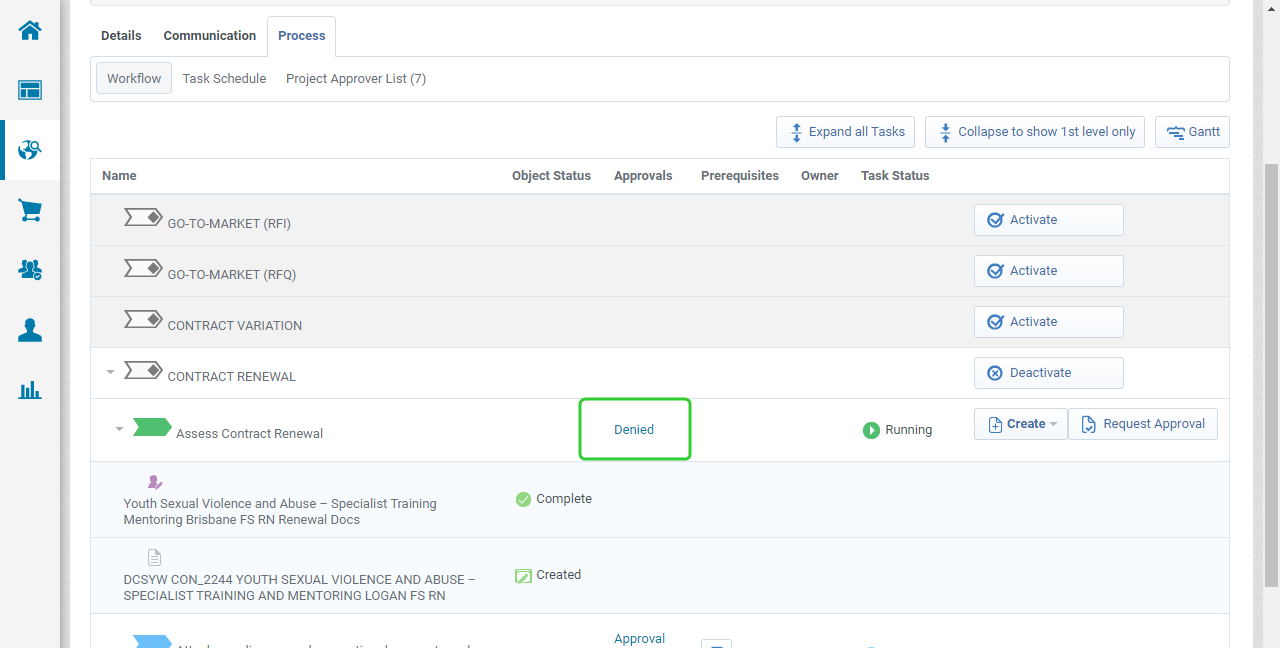
- Open the project, click Denied hyperlink to review the comments made by the approver.
-
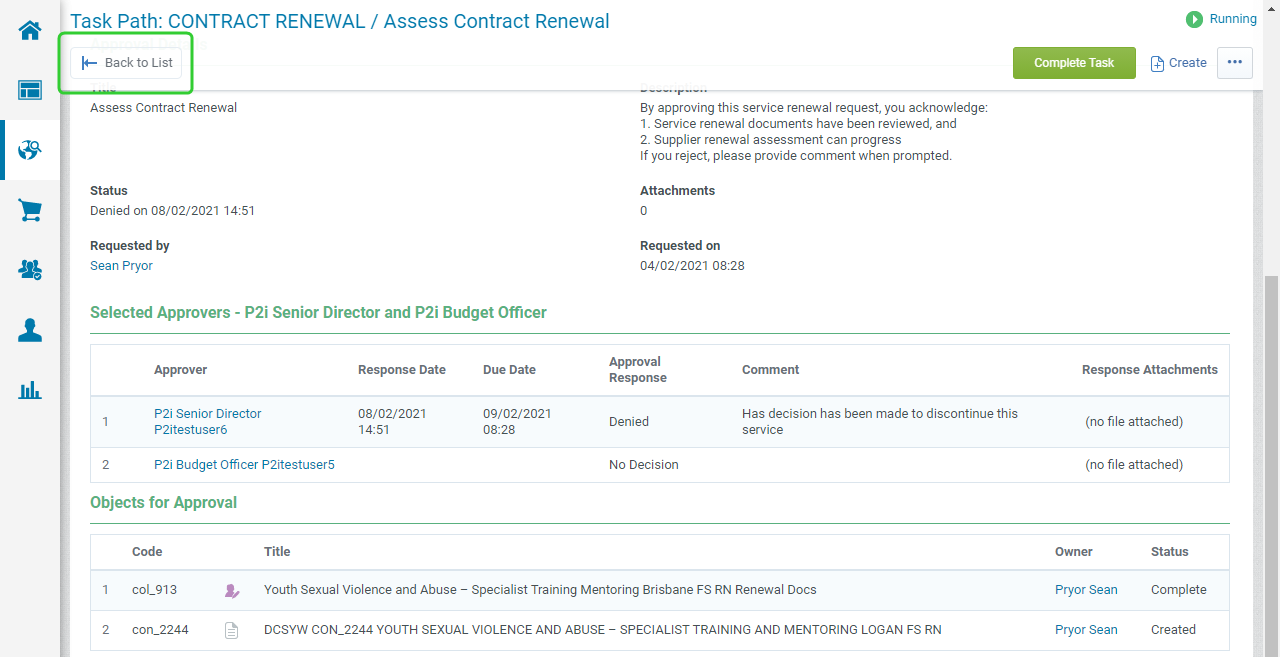
Click Back to List to return to the workflow.
-
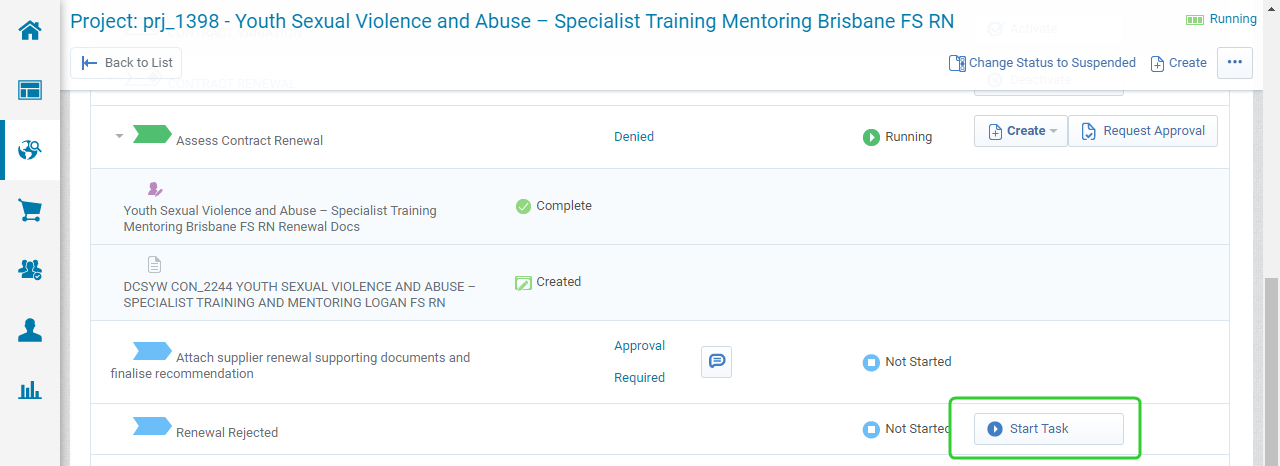
Click Start Task to start the Renewal Rejected workflow task.
Tip Each workflow has a similar task at the end. Select the one that is available on the workflow you are currently on.
-
Click Confirm when prompted
-
Click Manage Attachments to add supporting documentation for the closure of the project.

-
Click Complete Task
-
Click Confirm when prompted.
-
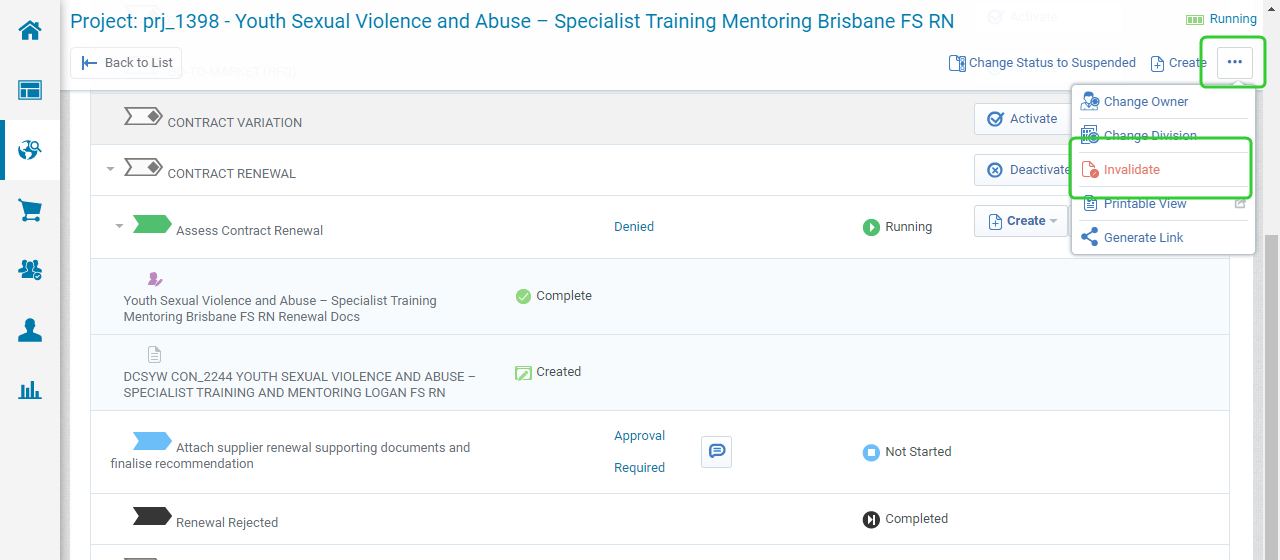
Click the ellipsis (...) button and select Invalidate.
-
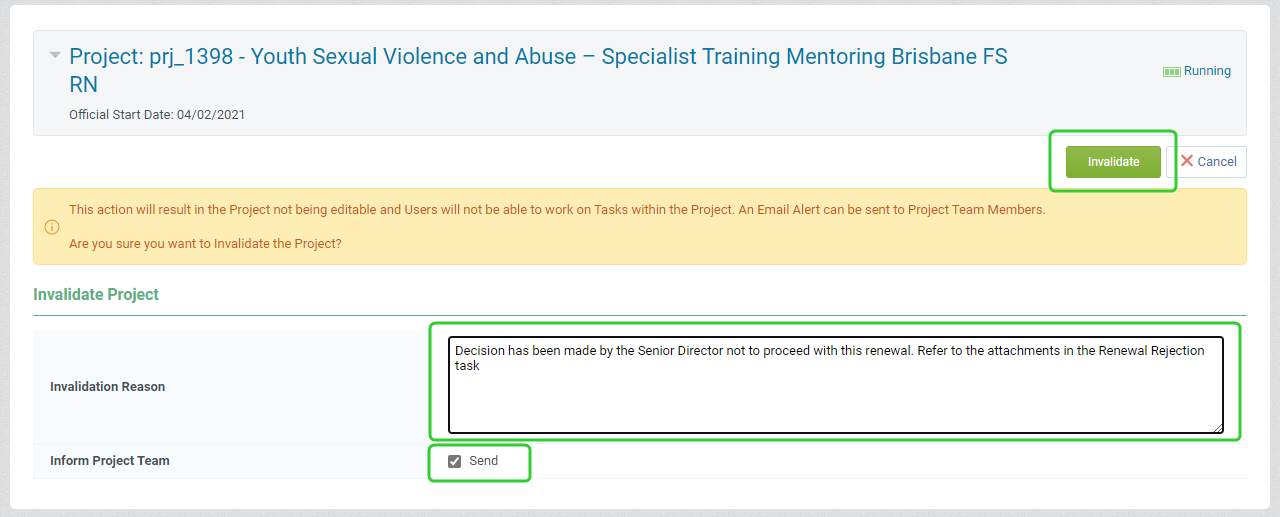
Enter an Invalidation Reason and tick Inform the Project Team checkbox.
-
Click Invalidate.
-
The project will now have the status Invalidated.
