Attaching and activating the renewal contract.
The P2i Contract Officer, P2i Regional Manager, or P2i Contract Manager can attach and activate the renewal contract if they have been added to the Project Team. The P2i Contract Officer must be made the Contract Manager so that they can complete the contract setup activities in the Contract Management Hub.
Tip Open the Contract and click ... (in the right-hand corner of the screen) and select Change Contract Manager. Search for and select the P2i Contract Officer. Click Confirm. If you have not already done so, add the P2i Contract Officer to the Project Team. The P2i Contract Officer receives an email notification that they are now the Contract Manager of this contract.
Once the deed of variation with appended funding schedule has been co-signed, save the wet signature deed of variation in the Master Document section of the Funding and Services Details. Refer to the instructions in the topic, Setting up funding and service details.
Warning Please ensure that you ACTIVATE a contract within the task before moving to the next task in P2i. if you Complete the Attach and Activate task before activating the contract, refer to the Troubleshooting guide to learn how to move the contract back to the Attach and Activate task.
To attach and activate the contract:
-
Click the Contents Management tab and select Master Document.
-
Click Create New Proposal.
-
Select From a new File from the Select Proposal Origin list.
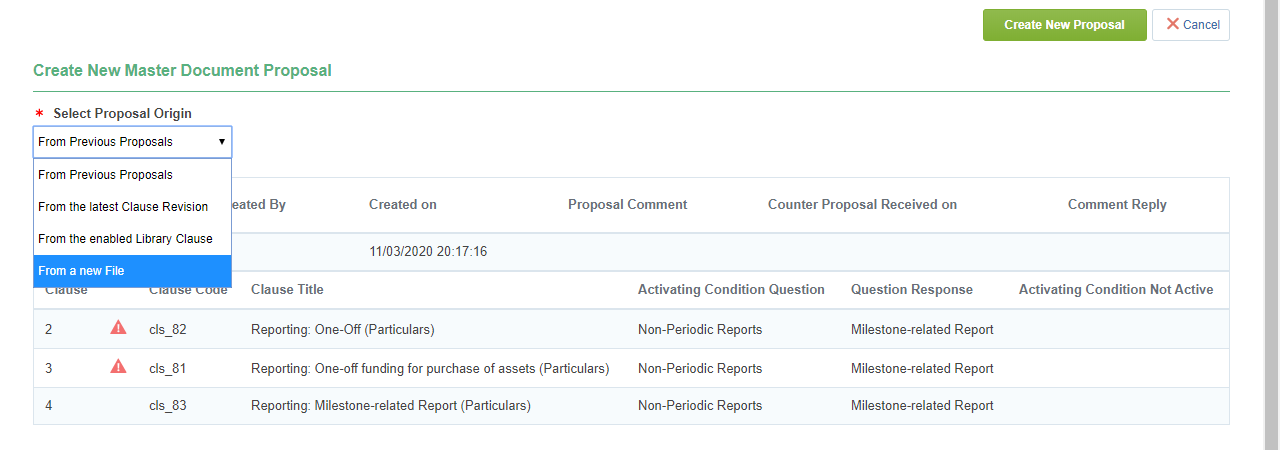
-
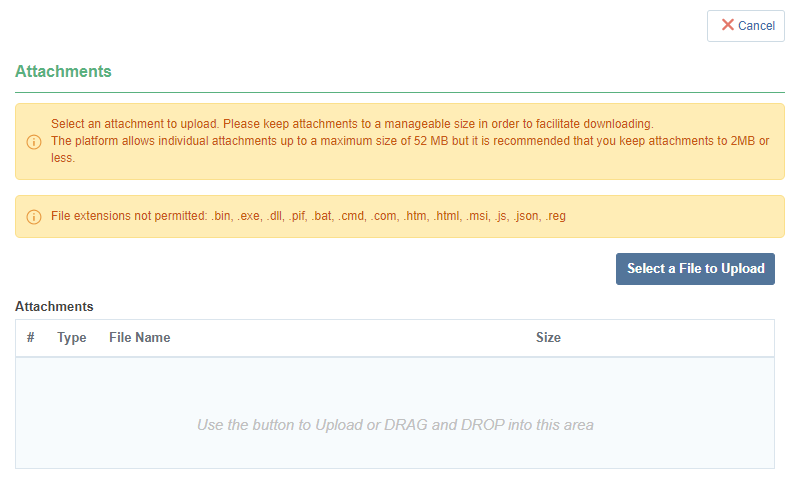
Drag and drop the signed and scanned contract into the area.
-
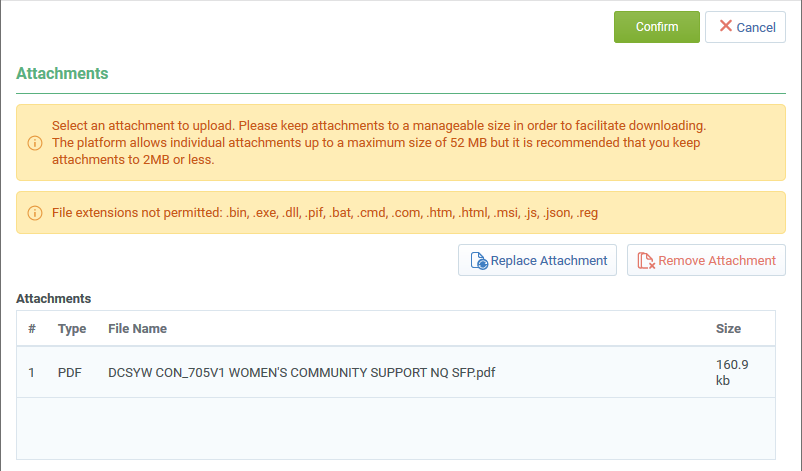
Click Confirm.
-
Click Create New Proposal.
-
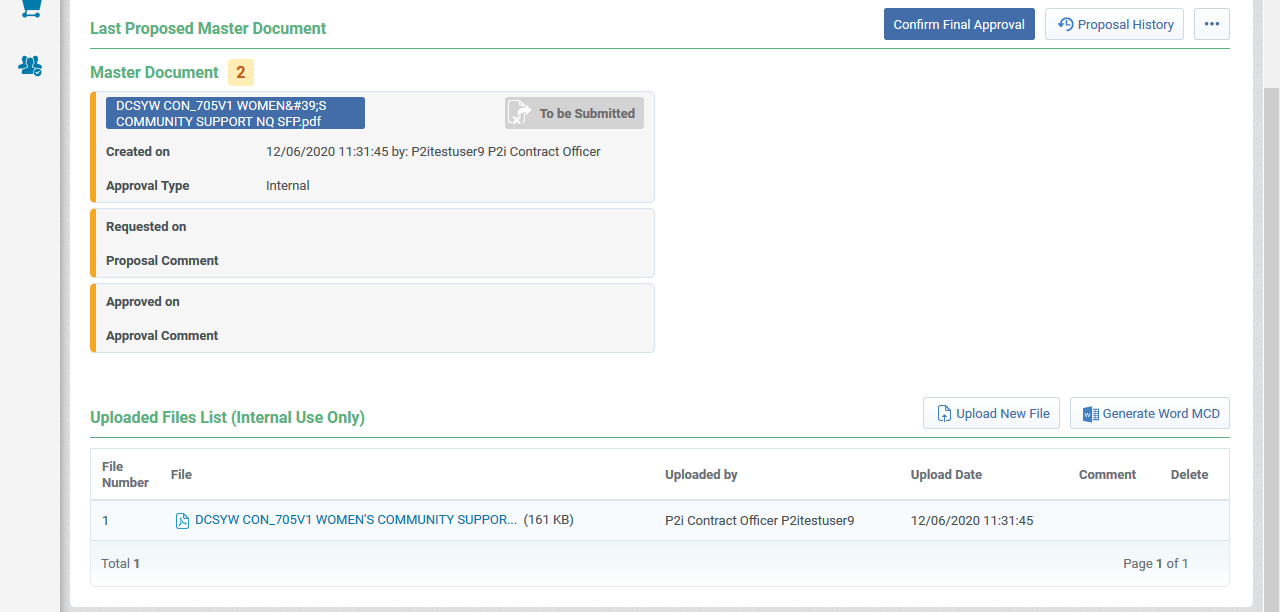
Click Confirm Final Approval.
-
Click Approve.
-
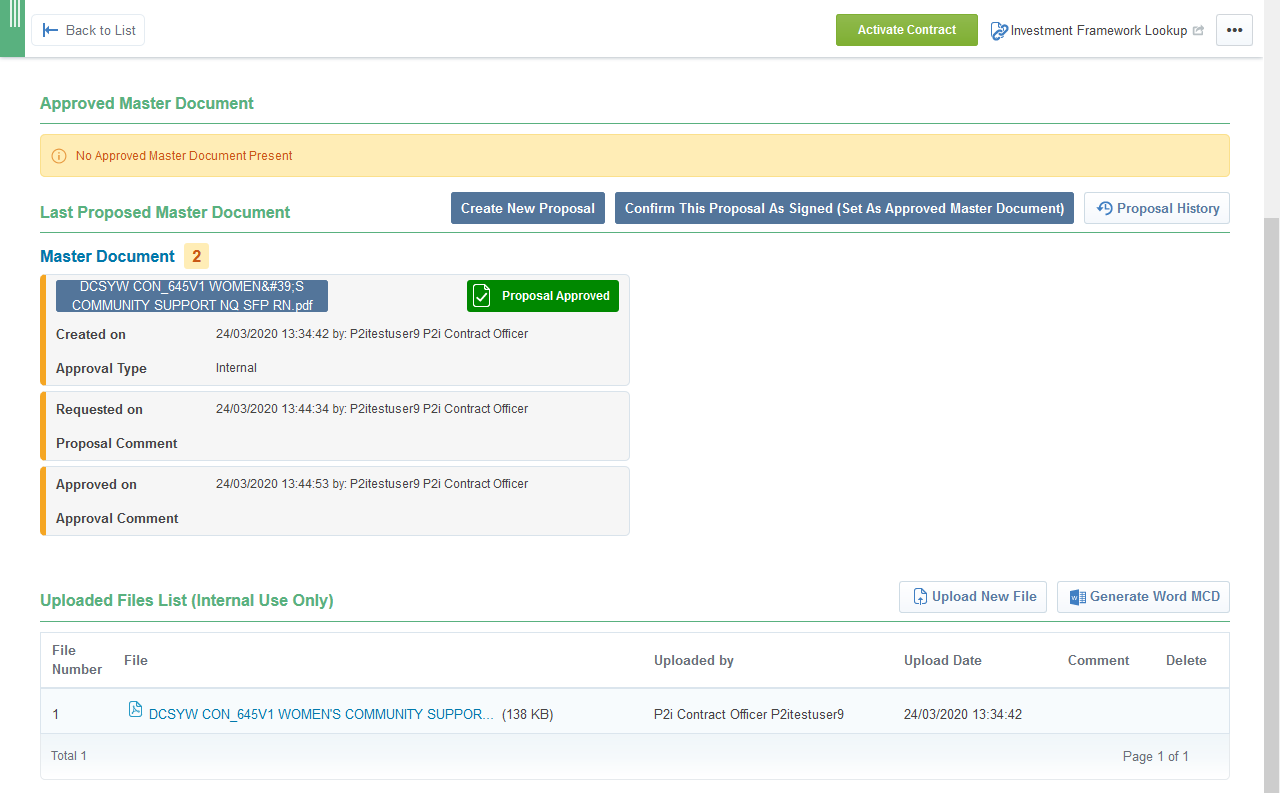
Click Confirm This Proposal As Signed (Set As Approved Master Document).
-
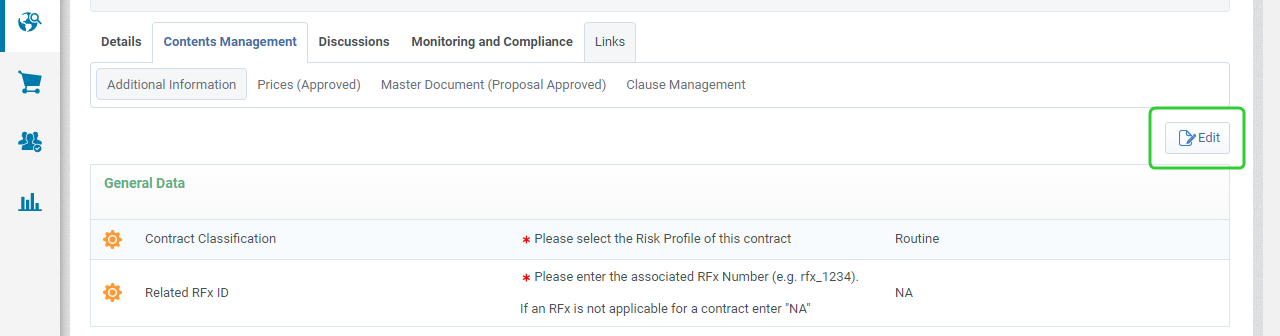
Click Additional information.

-
Click Edit.
-
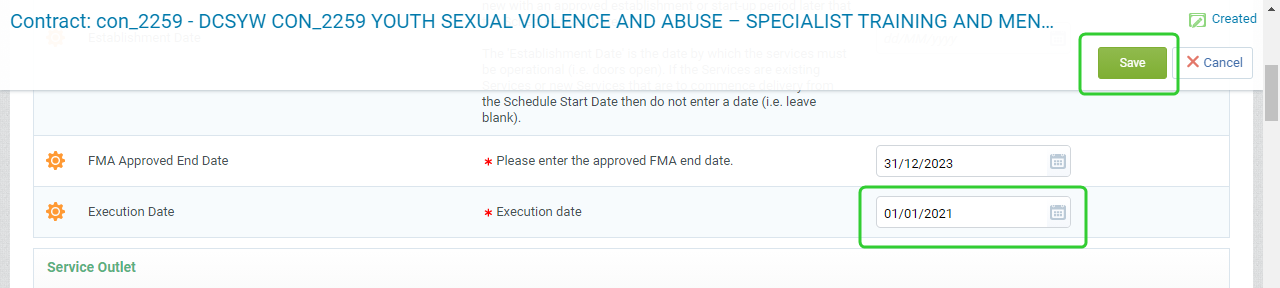
Enter the Execution Date and click Save.
-
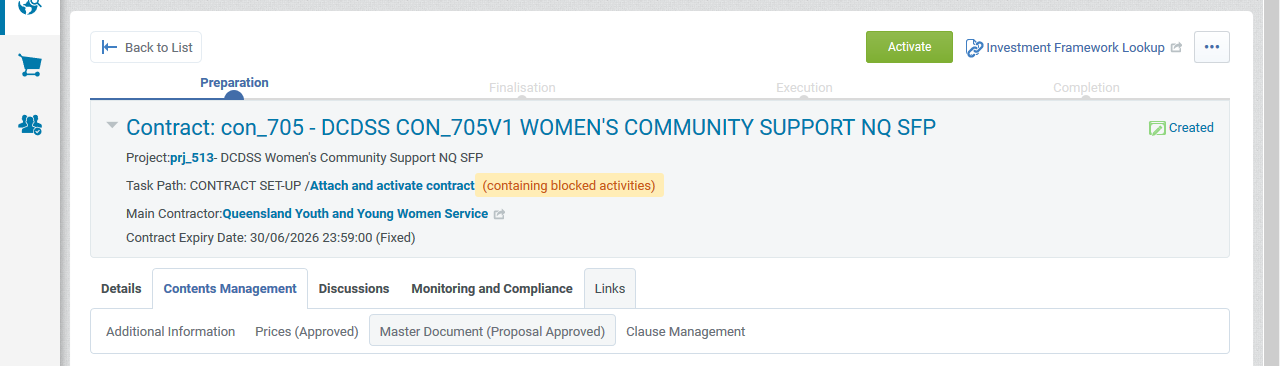
click Activate.
-
Click Ok to Confirm.
-
Click Confirm.
-
Click Complete Task to complete the Attach and activate contract task.
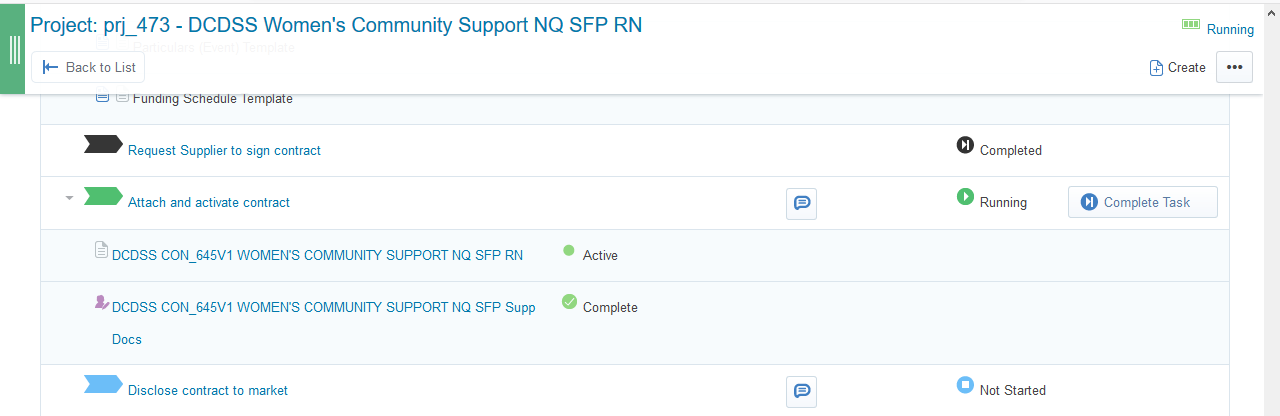
-
Promote the contract to the Disclose contract to market task and click Confirm.
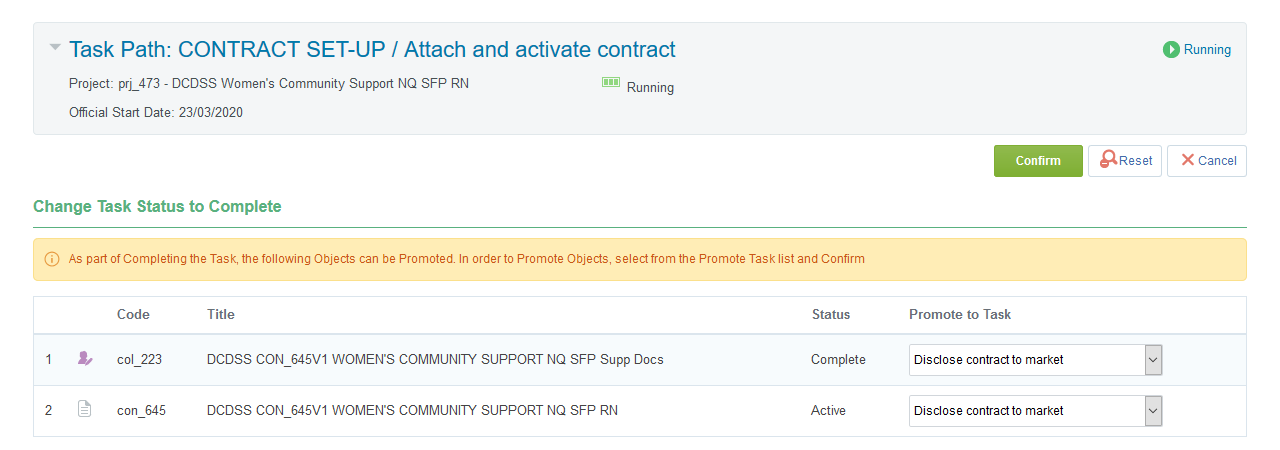
-
Click Confirm.
Disclosing the contract to market
The P2i Procurement Authority is responsible for disclosing the contract to the market on QTenders. The Evaluation Panel Chair must notify unsuccessful suppliers.
To disclose the outcome of the RFQ to the market:
-
Send Letter/s to unsuccessful Supplier/s.
-
Award the RFQ in P2i RFQ workflow section.
Note Refer to the topic, Awarding suppliers. This is only necessary if the contract variation was created as part of a procurement project that included Go to Market activities.
-
Publish outcome to QTenders (if appropriate).
-
Once you have complete these steps, complete the Disclose to market task.
Conducting the Contract Kick-off
The Contract Officer or Contract Manager holds the Contract kick-off meeting and the P2i Contract Officer records the date and attaches PDF minutes in P2i.
Note If the Kick-Off meeting does not take place immediately, you do not need to complete this task before moving to the Manage Contract task. Both tasks are running so that they can be handled at the same time.
Tip Attach a copy of the contract kick-off meeting in the Contract so that they are visible to both the department and the supplier.
-
Click Details, then Project Attachments and then Visible to Suppliers.
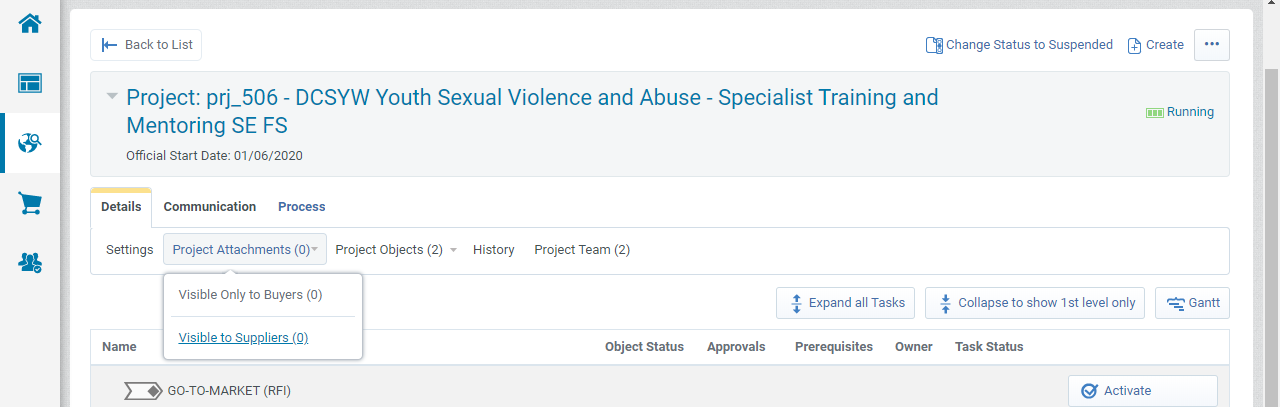
-
Click Create New Folder.
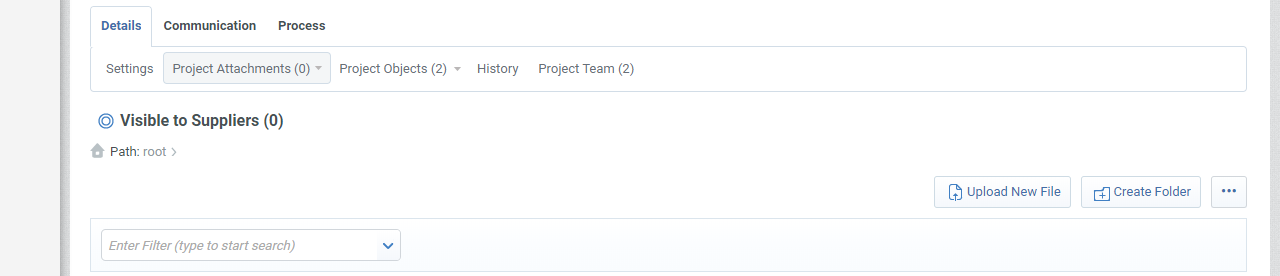
-
Enter a Folder Name and Folder Description.
Note The Internal Comments are only visible to the Department.

-
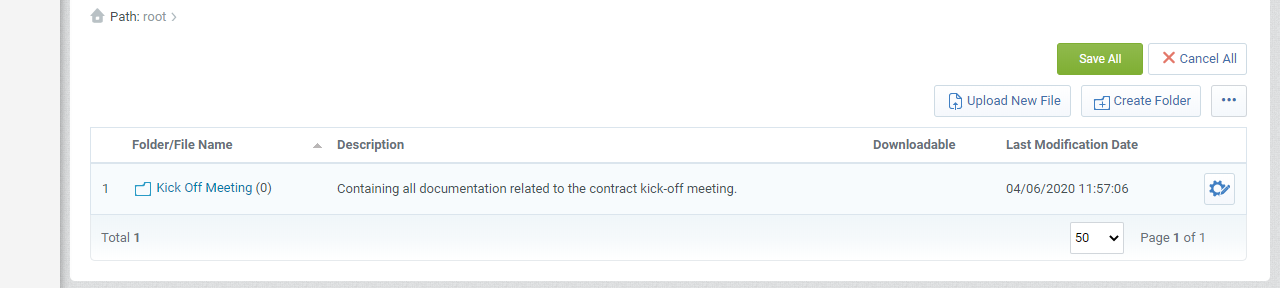
Select the folder.
-
Click Upload New File.

-
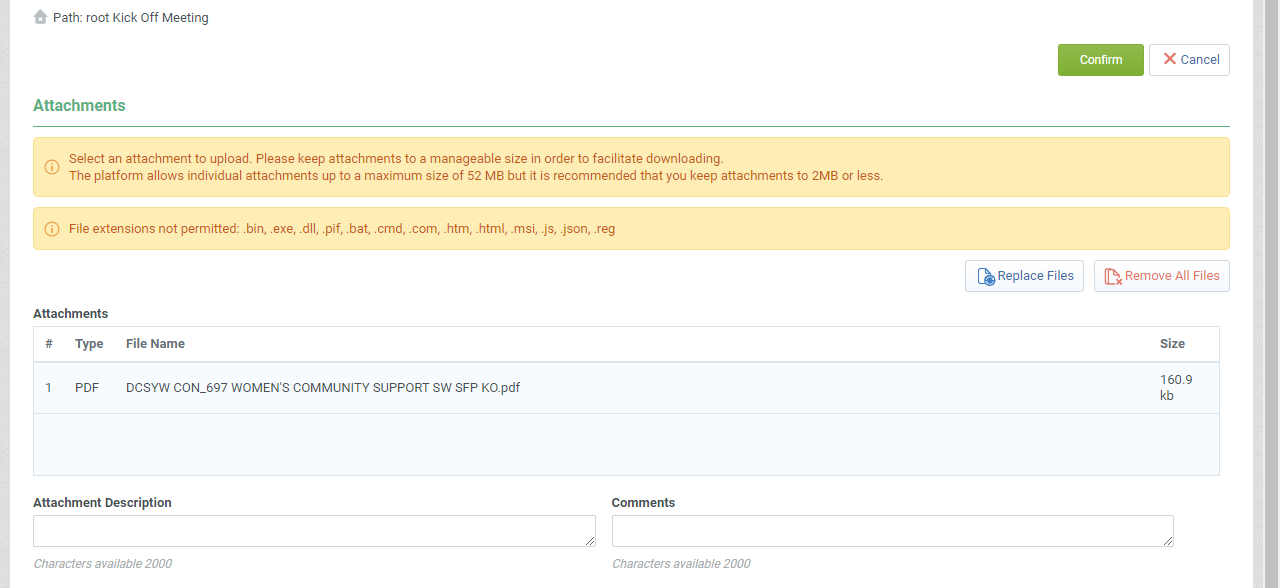
Drag and drop the meeting minutes and click Confirm.
Tip Add a Attachment Description and Comments if required. These are visible to the Funded Organisation.
-
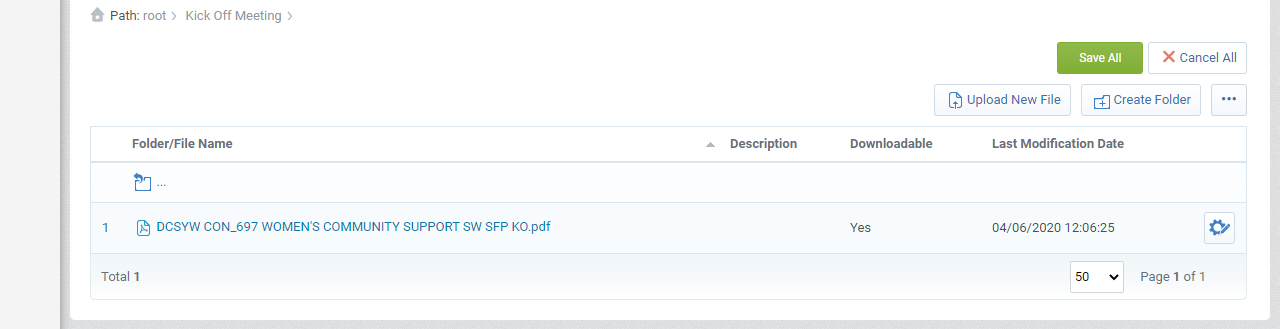
Click Save All.
-
Click Confirm.
-
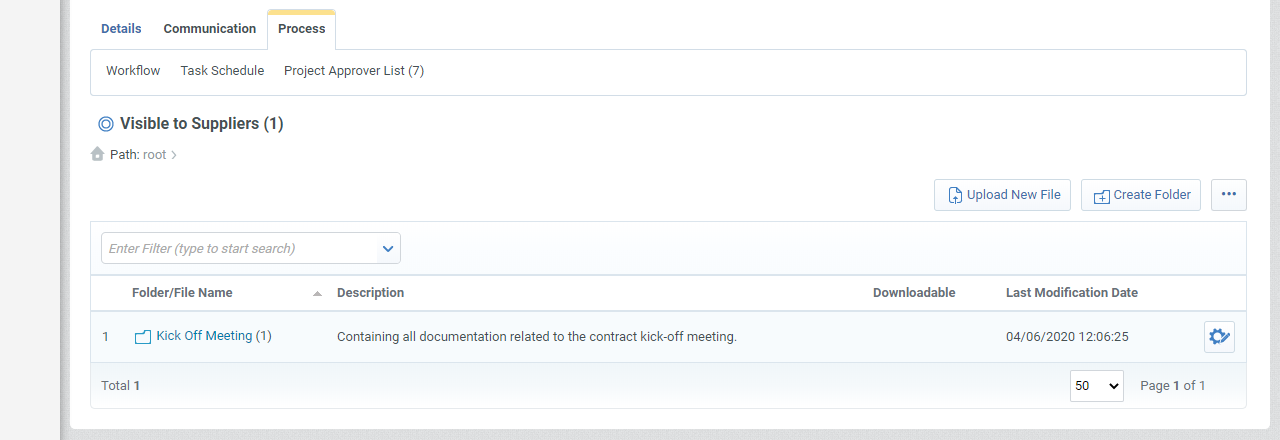
Click Process and then Workflow.
-
Once you have complete these steps, complete the Contract kick-off task.
Manage Contract
Use the manage contract task to capture any additional key documents (like milestones) during the life time of the contract before the contract is progressed to contract closeout.
Refer to the topic, Contract management hub to work through the process of preparing the short form particulars for further set up and ongoing management by the P2i Contract Officer, the P2i Contract Manager and P2i Payment Allocation Officer.
Complete the Manage Contract task when you are ready to close out the contract.