Create a Transition Project
Warning Create a transitional project when an existing contract is to be varied AND the existing project DOES NOT contain the workflow task: Variations.
Creating P2i projects is undertaken by a P2i Senior User or a P2i Regional Manager. (Refer to P2i Roles for more information on these roles)
These instructions are for the three type of projects/contracts (i.e. FSD, FS, and Particulars). The type of project being created is based on the choice of template selected.
-
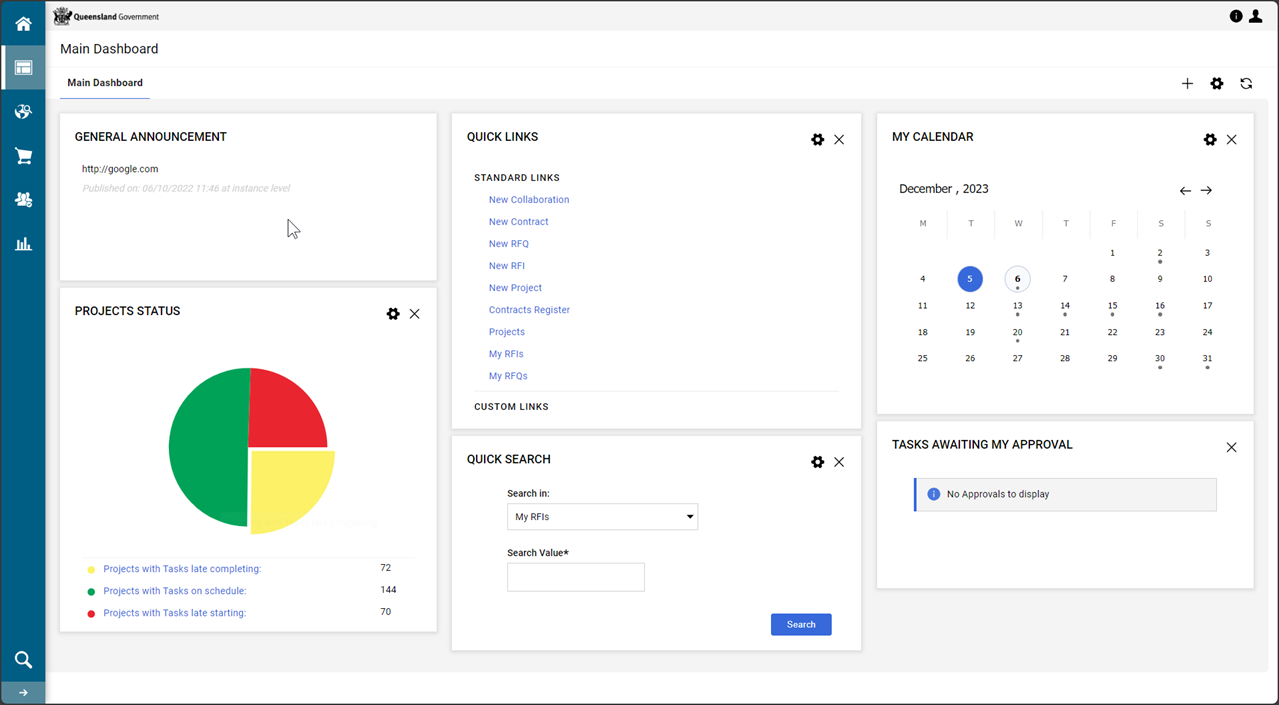
From the Main Dashboard > QUICK LINKS portlet, click New Project.
-
Click Create From Project Template

-
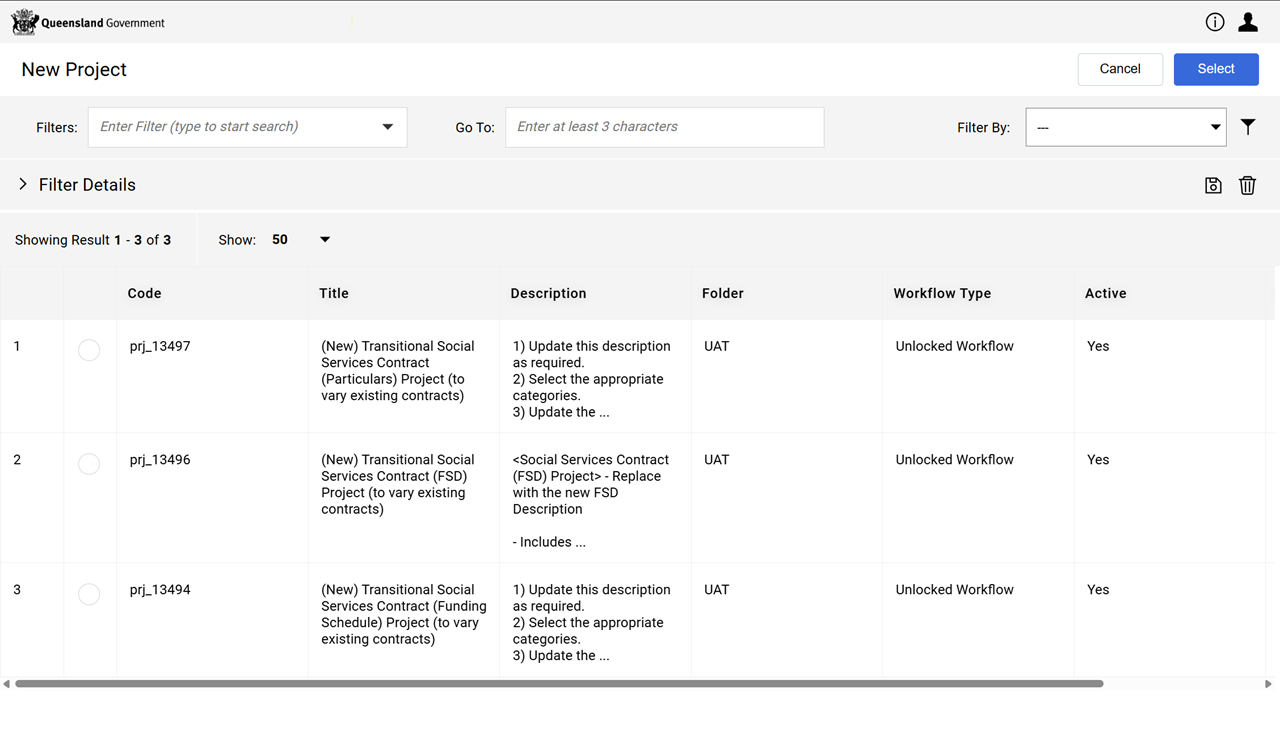
Select the template required:
-
Transitional Social Services Contract (FSD) Project (to vary existing contracts)
-
Transitional Social Services Contract (Funding Schedule) Project (to vary existing contracts)
-
Transitional Social Services Contract (Particulars) Project (to vary existing contracts)
Warning This template is specific to the contract which will be moved into the project and provides access to the Variation workflow tasks applicable to the project.
-
-
Click Select.
-
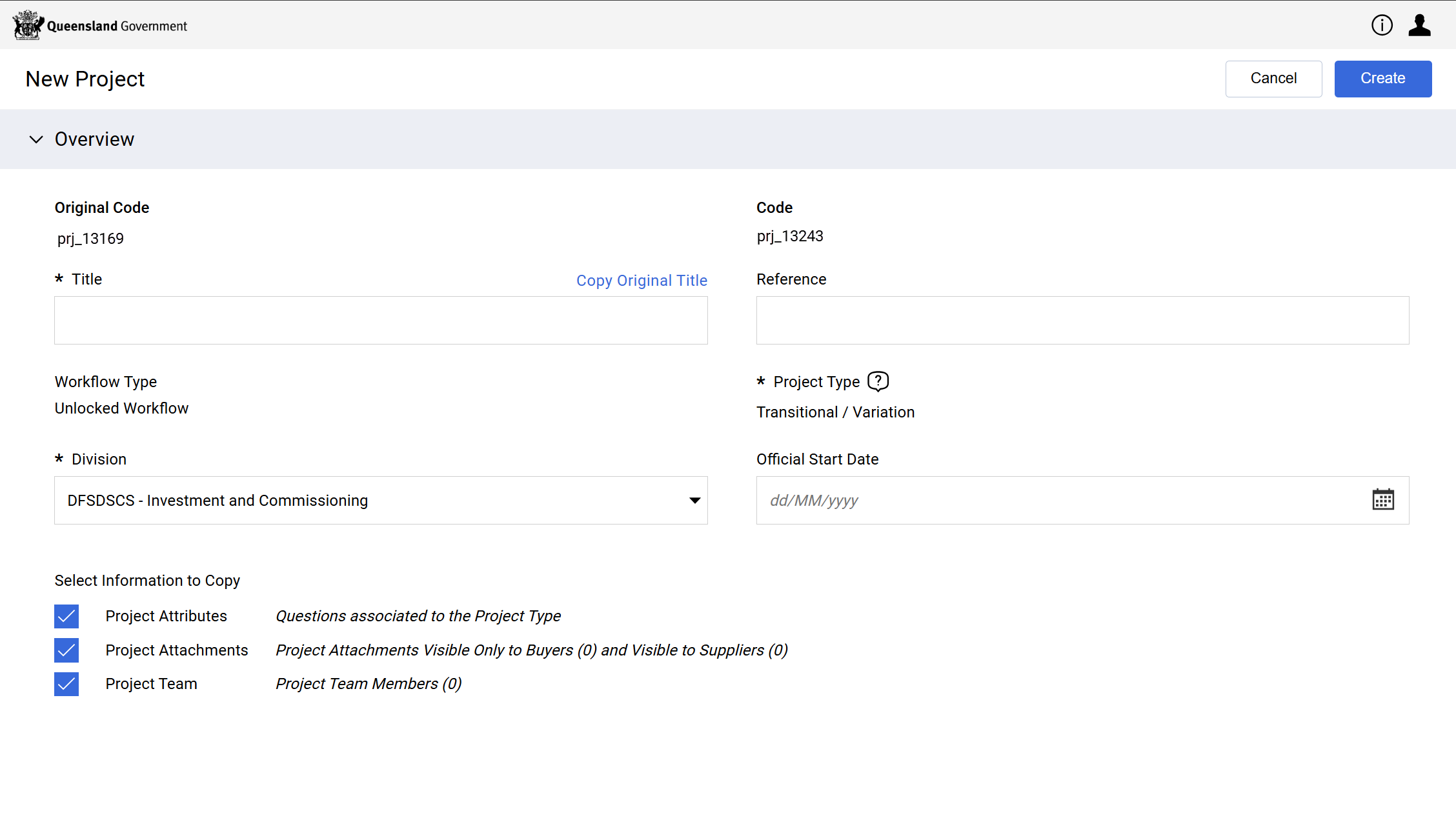
Fill in the fields on this New Project form.
-
Enter a Title.
Note Follow departmental rules for naming your project.
Consistent naming of the Title and Reference fields allows for easier searching later and improves reporting.
Refer to P2i Naming Conventions.
-
Enter a Reference.
-
Leave the Select Information to Copy checkboxes as checked.
-
-
Click Create.
-
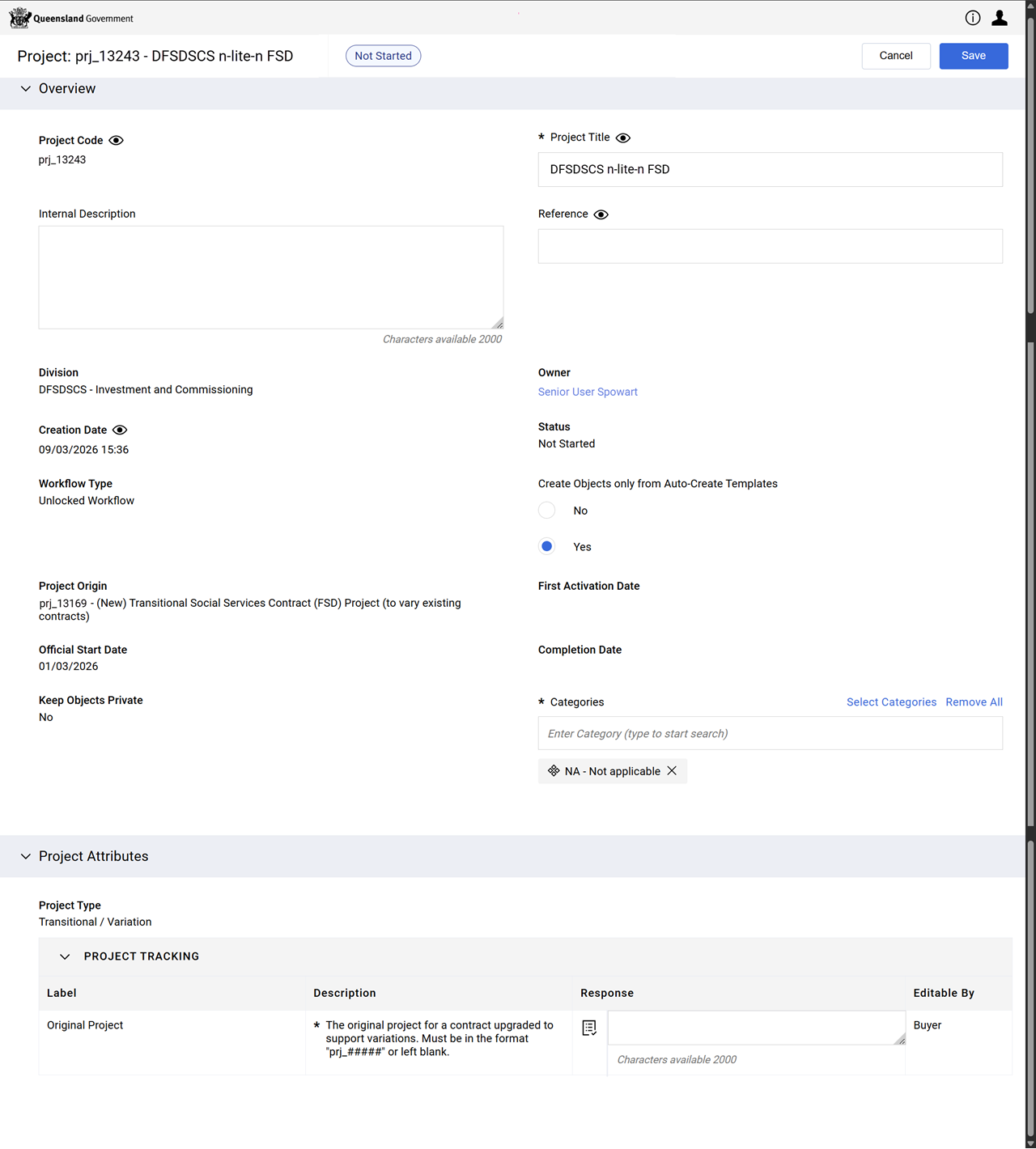
Fill in the fields on the Project: form.
-
Enter an Internal Description.
Note Follow departmental rules for populating projects with an internal description.
-
Leave Create Objects Only from Auto-Create Templates set to Yes.
-
Enter Categories
Tip
If the project/contract is an:
-
FSD - leave NA - Not applicable as the category value
-
FS or Particulars - select the same category value/s as the original project.
-
-
Enter a Response in the PROJECT TRACKING section.
Tip The Label's Description provides context to what may be entered (i.e. original project number in the format of prj_####).
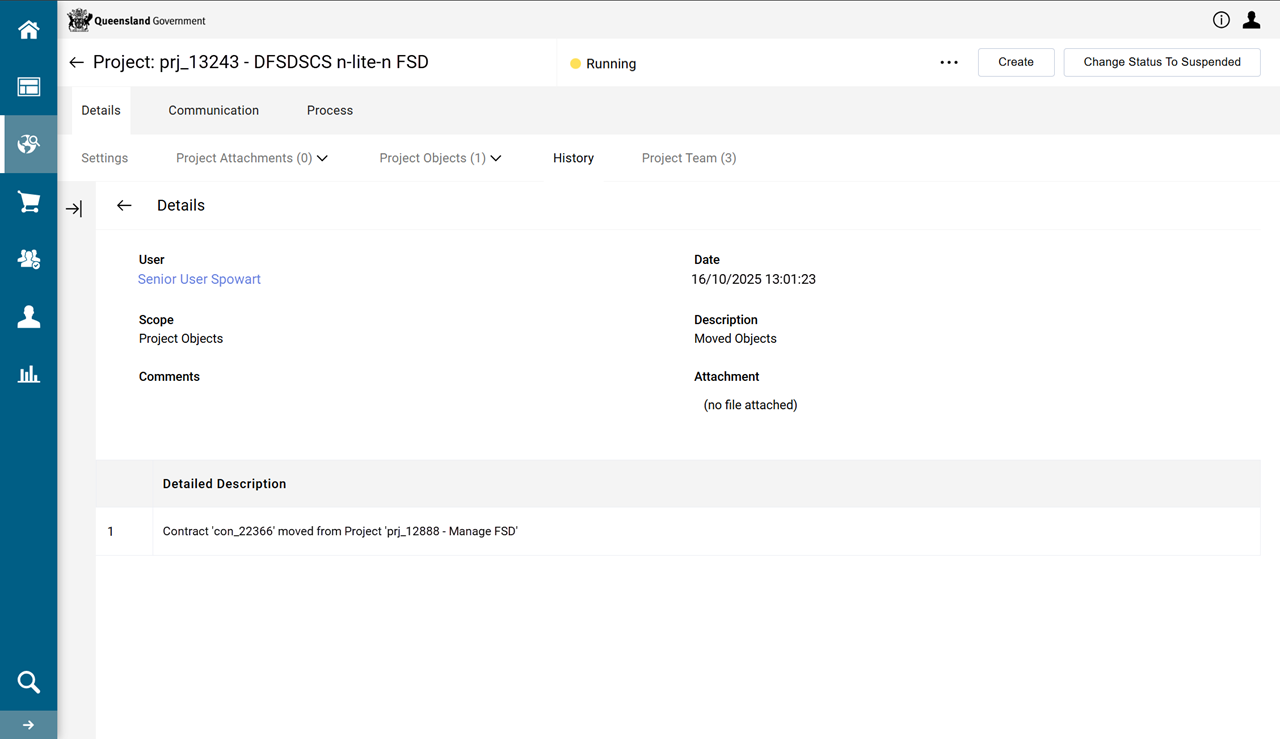
If unsure of the original project number and have already moved the contract into this transitional project:
-
Click Details tab > History.
-
In Scope column , locate the Project Object record.
-
Click Move Objects hyperlink.
-
-
Click Save.
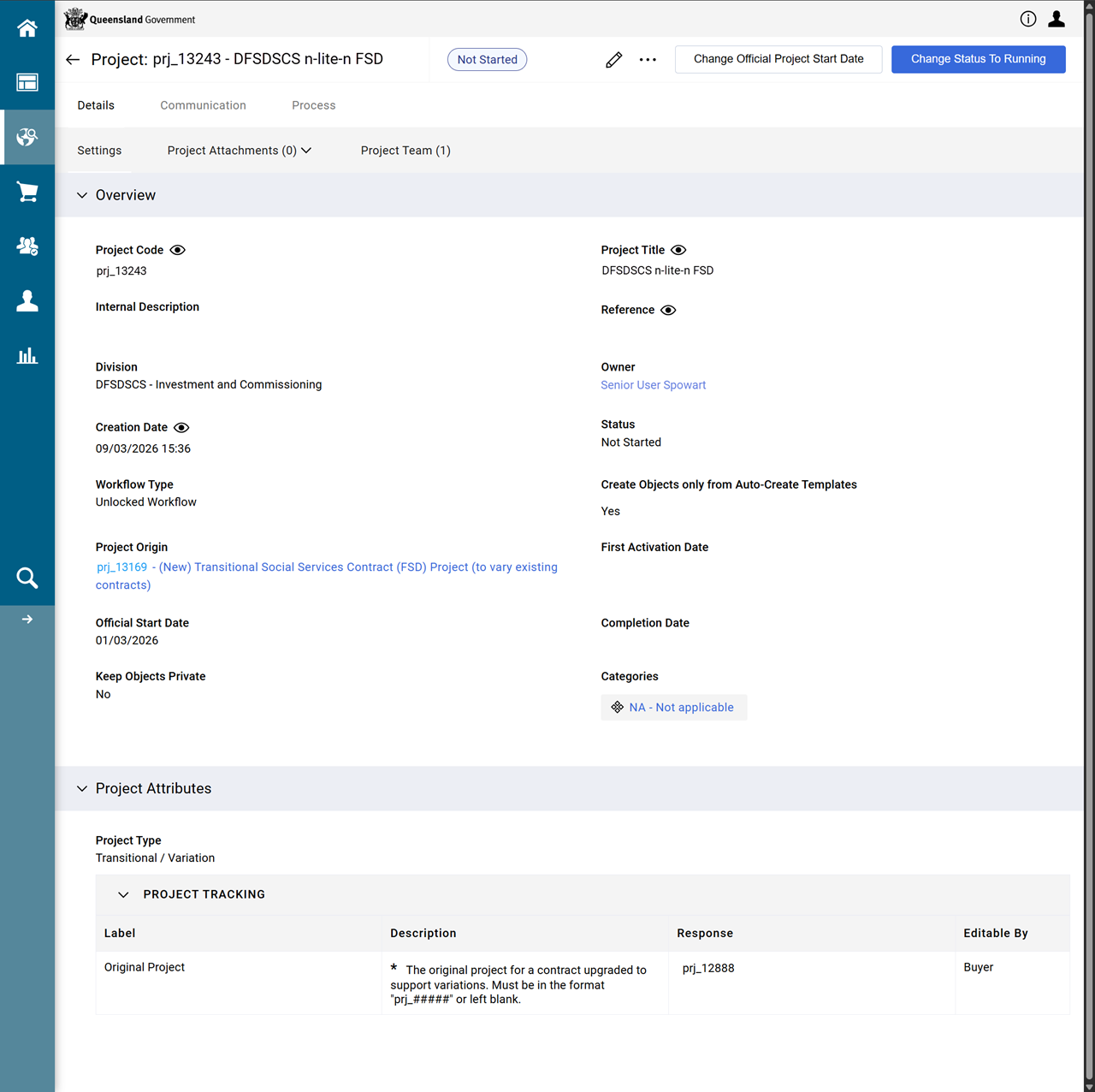
The project is now created.
-
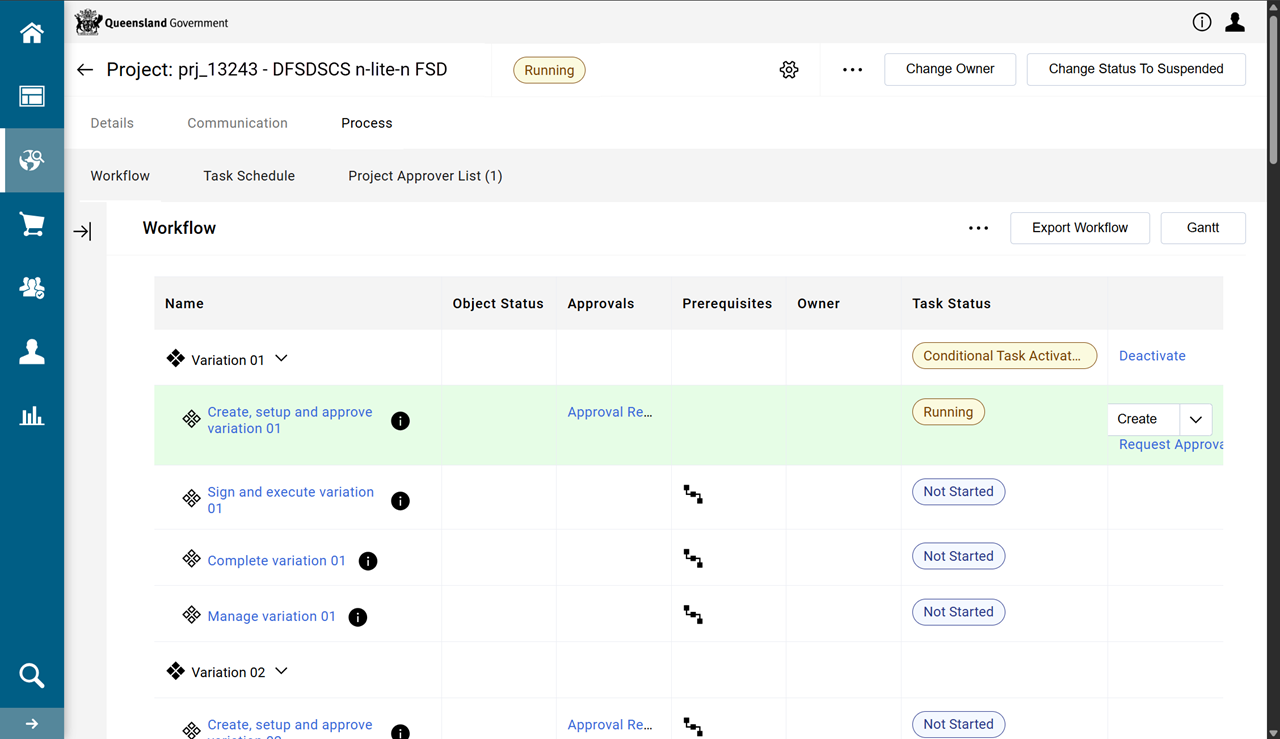
Click Change Status To Running
-
Click Start Project And Tasks
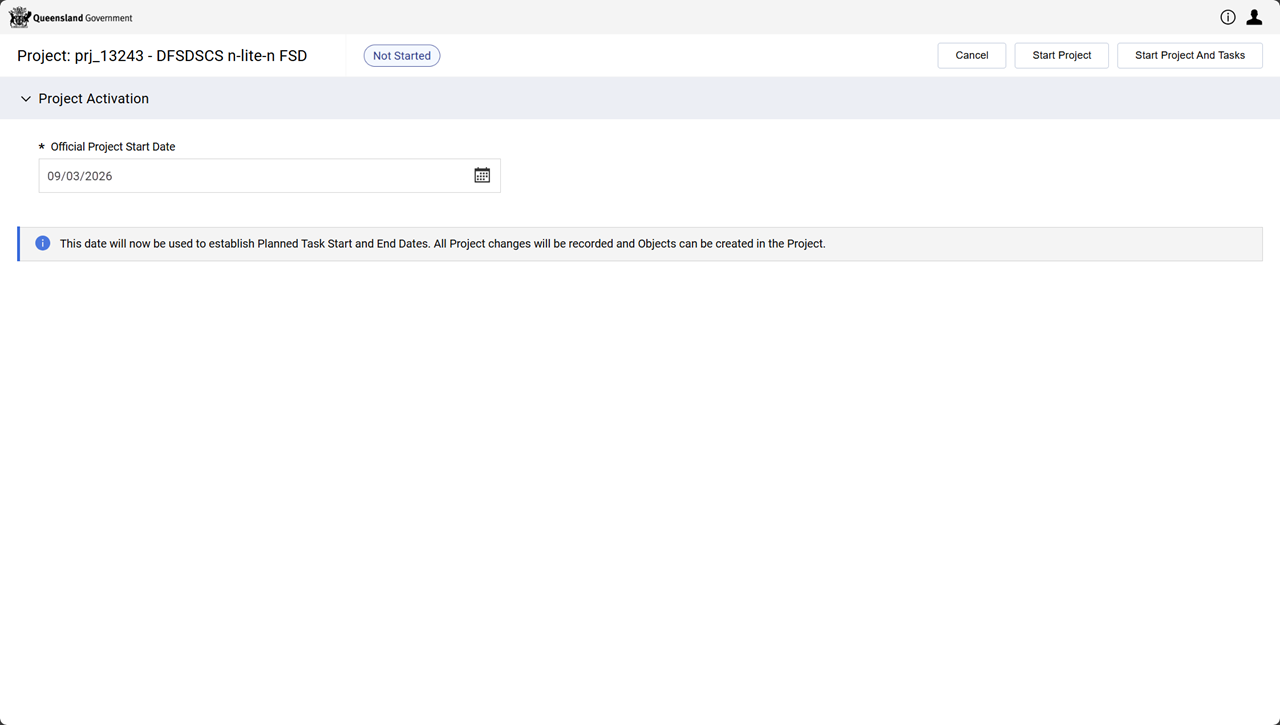
The project's status is Running and the workflow is initialised.
Note Workflow task: Create, setup and approve variation 01 is ready to receive a transfer/move of an FSD/FS/Particulars contract from the existing project (which does not have variation workflow tasks).